

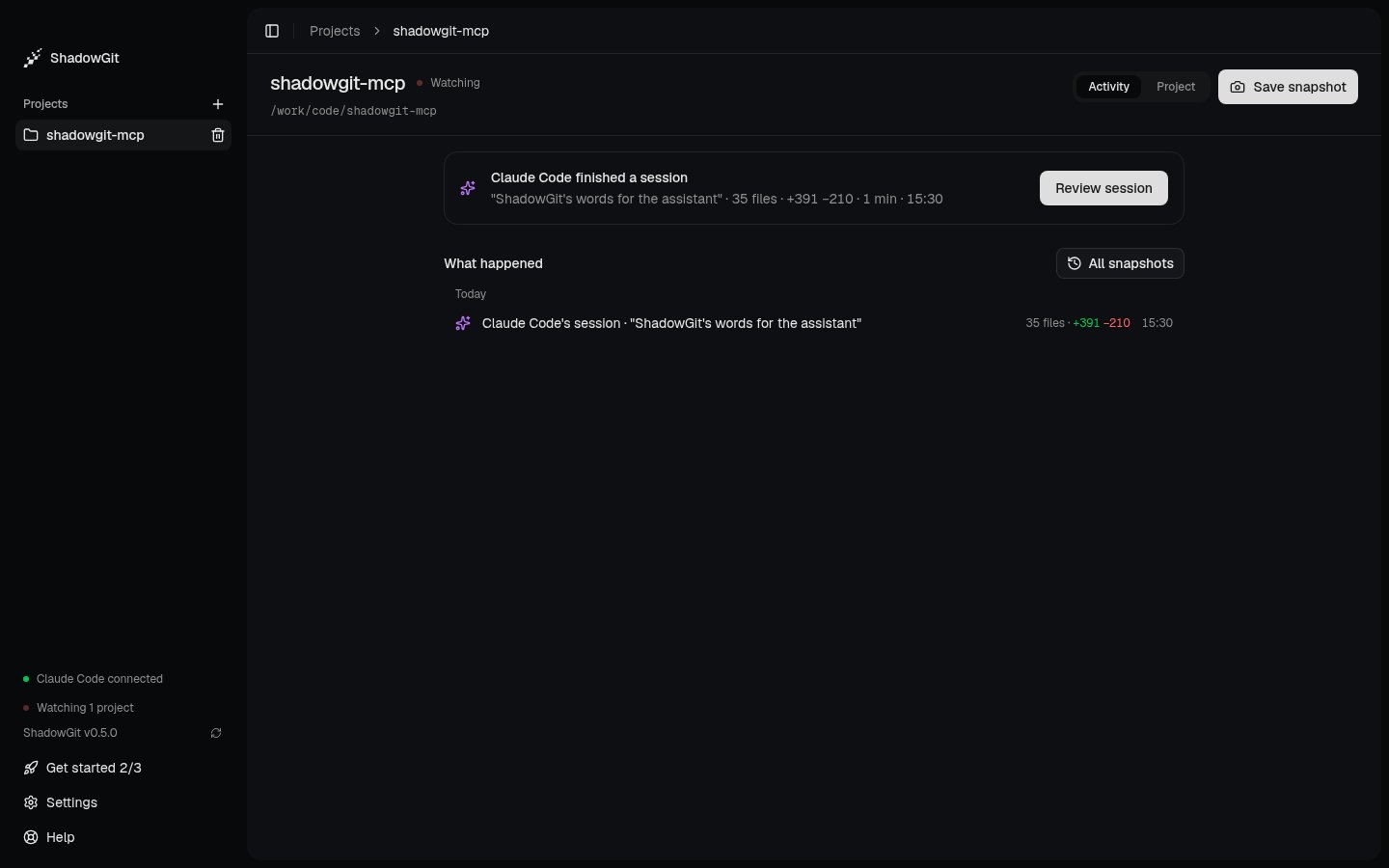
Activity after Claude Code's session: the session waits for review, and what happened is listed below it
Add a project
Click + next to Projects in the sidebar, or Add a project in Get started, and pick the project’s folder. ShadowGit then:- creates
.shadowgit.gitin the folder, which holds the snapshots, and adds it to the project’s.gitignore; - creates
.shadowgit-ignore, listing what to leave out (see Leave files out); - takes the first snapshot of your project as it is.
.git stays as it is. The first snapshot is never offered as a change to review: it’s your project before ShadowGit, not something anyone changed.
When ShadowGit takes a snapshot
Every 5 seconds ShadowGit looks for changed files. A change of 25 lines or more is saved at the next look. Smaller changes wait until at least 3 minutes have passed since the last snapshot, so a run of small edits lands in one snapshot. You can change these numbers in Settings, under Watching and Snapshots. While your assistant’s session is running, automatic snapshots pause for that project. Your assistant saves its work with a name as it goes, and the session’s end takes whatever is left into one last snapshot.The card at the top
On a project with snapshots and no session yet, Up to date adds how one gets there: “When your assistant works in webshop, its session shows up here.” Until ShadowGit has heard from an assistant, Connect your assistant follows; after, “Ask it to start a ShadowGit session.” If you used ShadowGit before 0.6.0 without connecting an assistant, a card above reads “Review what your assistant changes”, with Connect your assistant, See an example and Dismiss.
The card names your assistant as ShadowGit hears it, or says “your assistant” when it doesn’t know the name. Review session opens the session in Review. Once you mark it reviewed, the card moves on to the next session that waits, or says you’re up to date.
What happened
Each row is one thing that happened:
Click a row to open it in Review. A row’s files, added and removed lines and time are on its right.
All snapshots, at the top right of What happened, lists every snapshot one by one, newest first, with sessions and days marking the way. Pick one to read it, or pick two to compare them.
Save a snapshot
Save snapshot, at the top right, saves your changes now as one snapshot. To give it a name, open the ”…” menu in Review, or the command palette (⌘K), and pick Save snapshot with a name…. The name is the snapshot’s title in Activity and in Review. Saving is off while a session holds snapshots back.
Restore a snapshot
Restore works on one snapshot. Open it from All snapshots, or click a saved snapshot’s row, then pick Restore this snapshot… in Review’s ”…” menu or the command palette, and Restore snapshot. To undo a session, open All snapshots and pick the snapshot before it. ShadowGit:- saves changes not yet in a snapshot, leaving out the files in
.shadowgit-ignore, as a backup snapshot named Before restoring and the snapshot’s hash; - writes your files back as they were in that snapshot;
- records the result, named Restored and the snapshot’s hash.
Leave files out
.shadowgit-ignore, in the project’s folder, lists what ShadowGit leaves out of its snapshots: dependency folders like node_modules, build output, logs, lockfiles, editor and system files. Edit it to leave out more, one pattern per line:
.gitignore, except that a pattern matches at any depth unless it starts with /. * matches within one name, ** across folders, ? one character and [ab] one of those characters. A plain name such as node_modules leaves out a file or a folder of that name, and a line starting with ! brings back a file an earlier line left out. New snapshots follow the file. The ones already taken keep what they hold.
From ShadowGit 0.6.0, git reads these rules itself, so it never opens a file they leave out: a file another program holds open in a left-out folder no longer stops snapshots. When ShadowGit can’t read a file outside them, it names the file and asks you to add it here.
Remove a project
Point at the project in the sidebar, click the trash icon, then Remove project. ShadowGit stops watching it and deletes:- the
.shadowgit.gitfolder, with every snapshot; - the
.shadowgit-ignorefile; - the
.shadowgit.gitline in.gitignore; - the project’s map.