

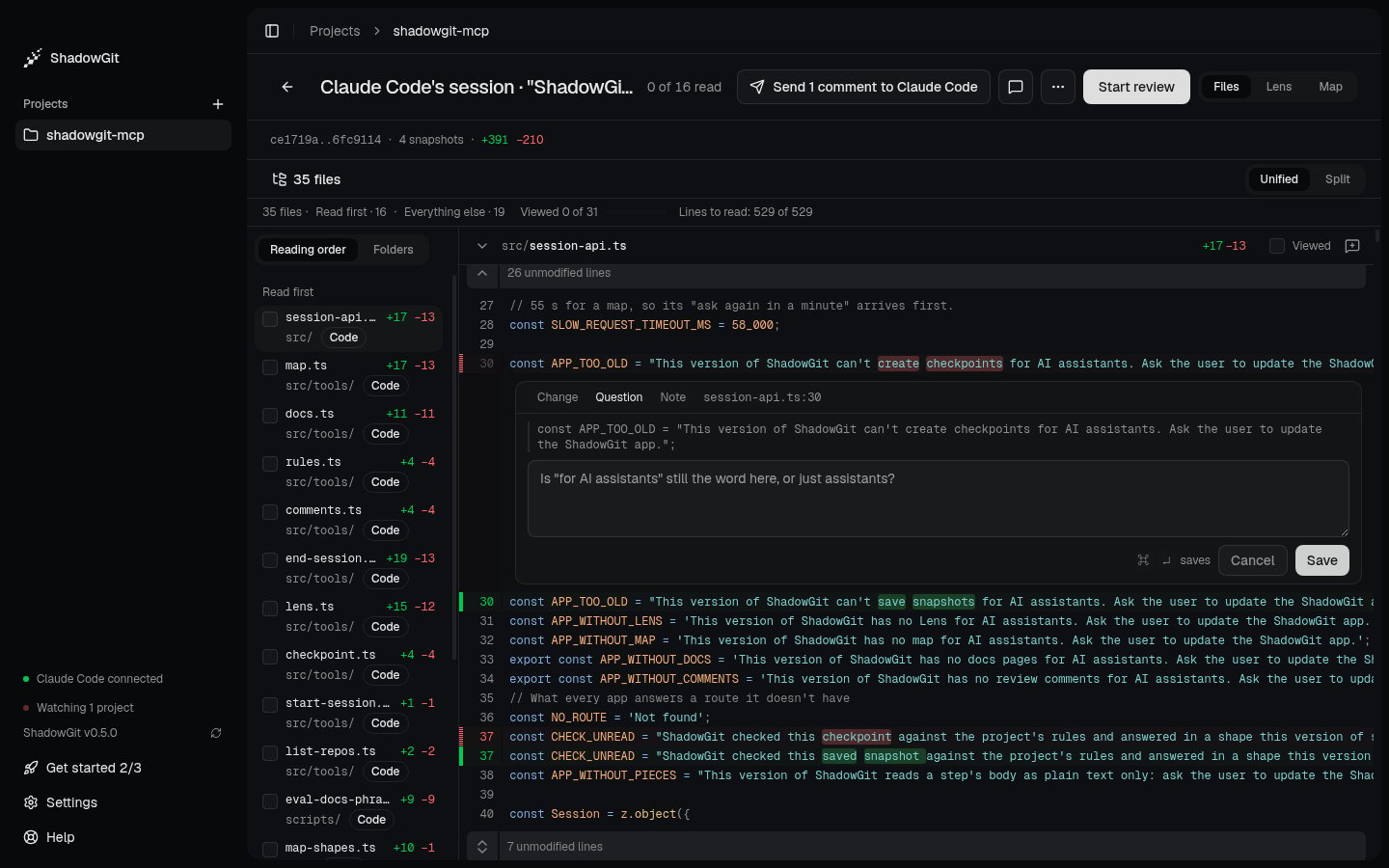
A question being written under line 30, with the line it quotes
Write a comment
- Point at a line and click the + beside its number. For several lines, drag across them, or click their numbers, and press
C. For a whole file, click the comment icon in the file’s header. - Pick a tag: Change, the default, Question or Note. Your assistant reads the tag you set.
- Write what you want, then click Save or press
⌘↵(Ctrl+Enteron Windows and Linux).
Send them to your assistant
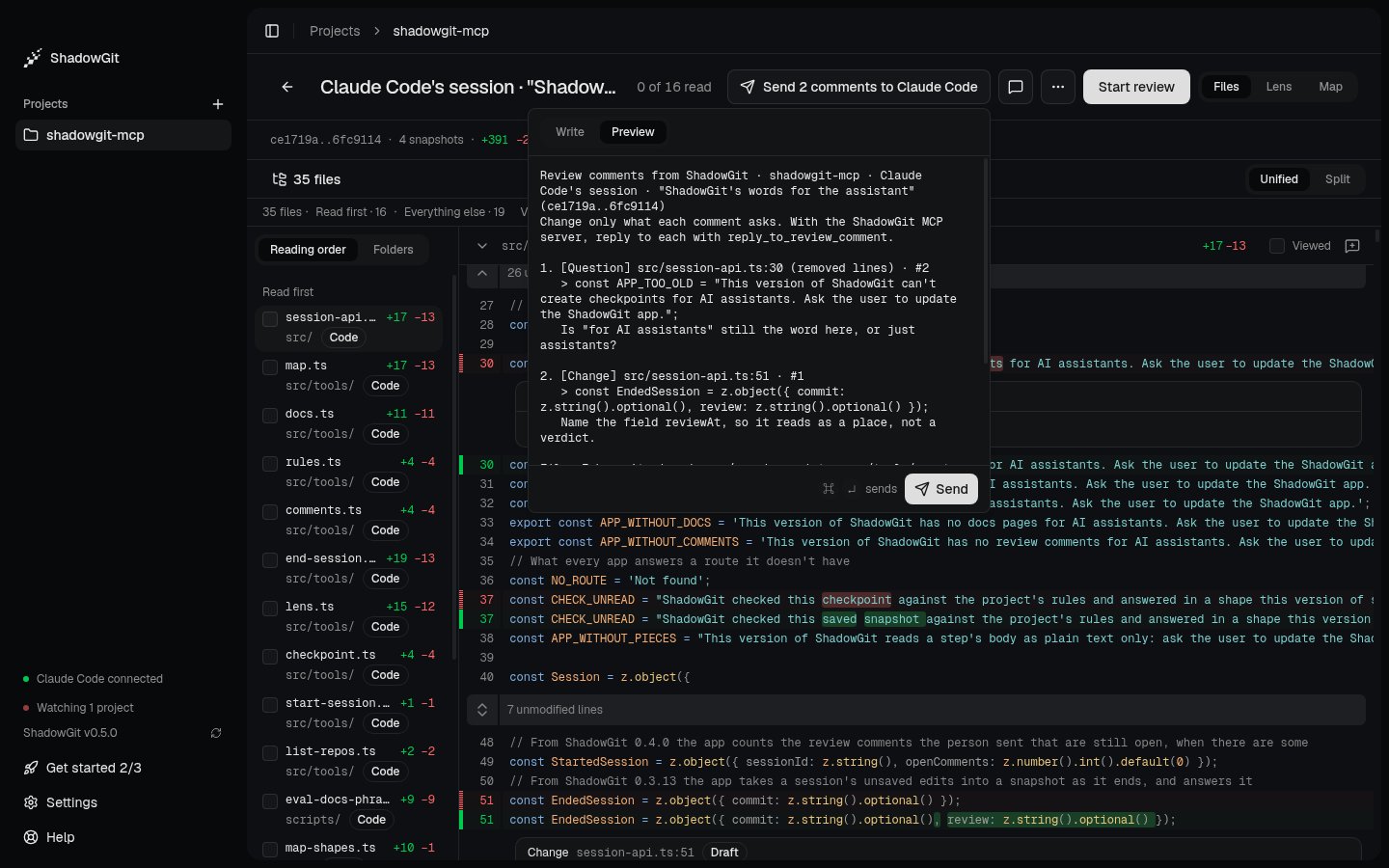
The text your assistant gets, before you send it
⌘↵. ShadowGit:
- marks every draft sent, so your assistant can read them through the ShadowGit MCP server;
- copies the text, so you can paste it into any assistant.
Your assistant addresses them
Ask your assistant:Replies and changes since
A reply shows under its comment, like “Claude Code at 9b1c2ab: Returned the row on a cache miss.”, with a snapshot. During a session, that’s the next snapshot the session saves or the one its end makes, which holds the change. Until then the reply reads “Claude Code, session in progress”. Outside a session, it’s the newest snapshot when the reply came. A reply never closes a comment. When a later snapshot changes the lines a comment quotes, the comment says “Lines changed since, in 9b1c2ab”. That’s a fact about the lines, not a status. The comment stays open until you close it.The Comments panel
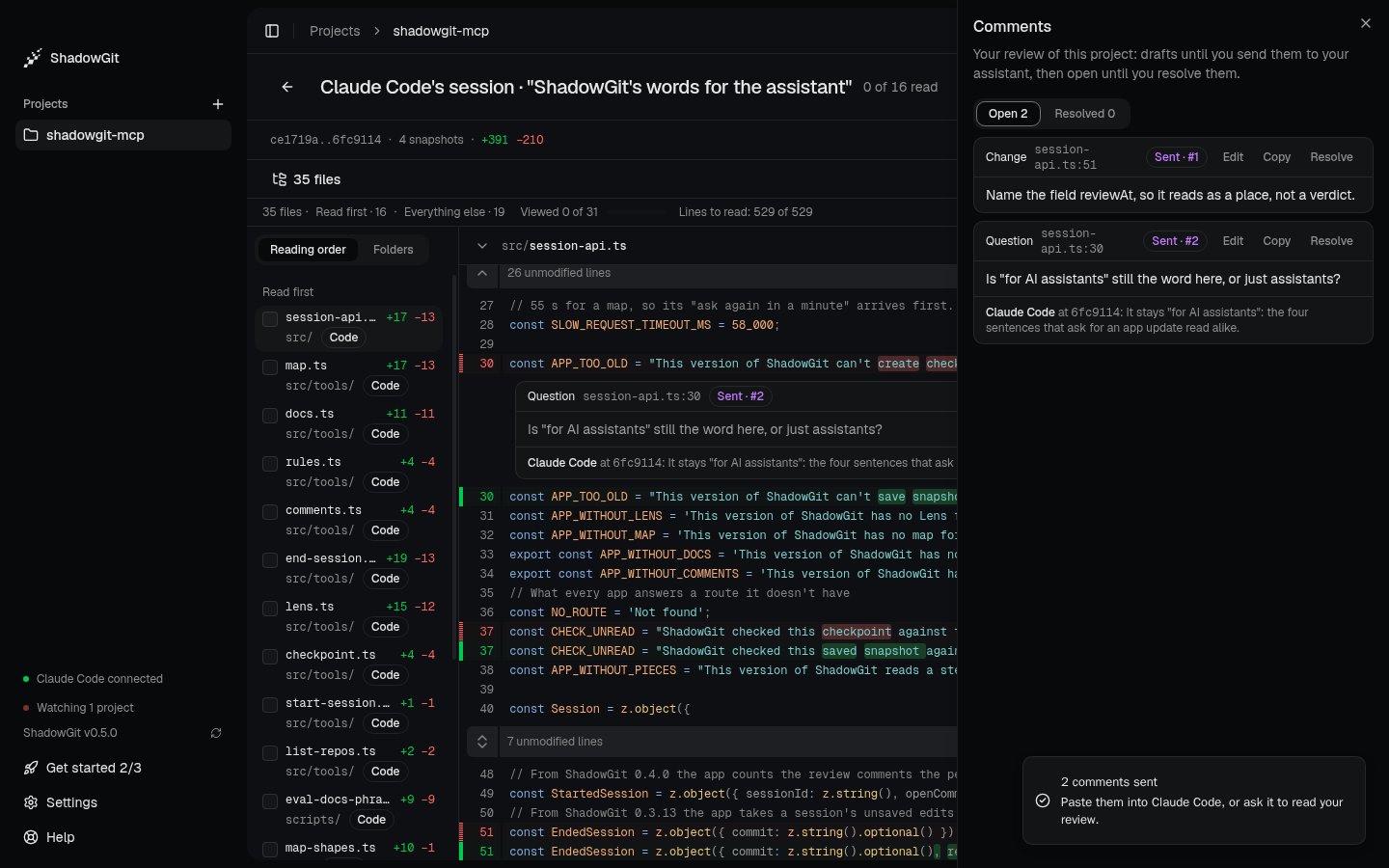
Both comments, sent, with Claude Code's reply to the question
⇧C, or the comment icon at the top, opens Comments beside the diff:
- Open lists your drafts and the comments you sent. Resolved lists the ones you closed.
- Edit changes a comment’s words or tag, even once sent. Your assistant reads the words as they are now.
- Copy copies one comment’s text.
- Resolve closes a sent comment, with Undo for a moment. Open again brings it back.
Where comments are kept
ShadowGit keeps comments, drafts included, in the project’s.shadowgit.git, on your computer, never in your files or your own git history. Each comment has a number in its project, like #12, that you and your assistant can both use. A comment leaves your computer only through your own assistant.