

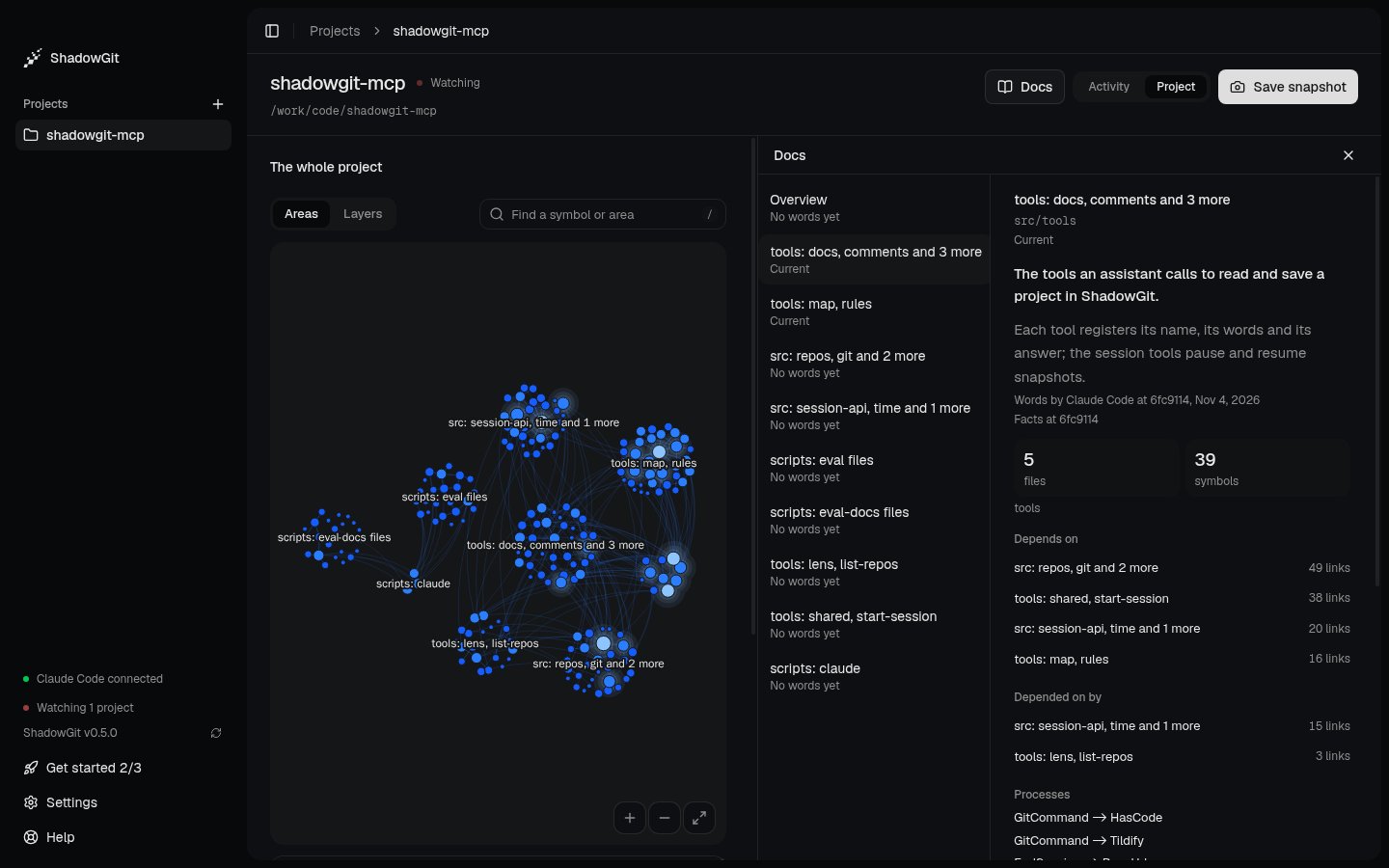
A page in Claude Code's words, current, with the facts ShadowGit draws from the map
Open Docs
Select a project, click Project at the top right, then Docs beside it. Docs opens beside the whole map. The rail lists the Overview, then the areas in the Map’s order, largest first. Under each name is how current its page is:
While ShadowGit counts, a page says Counting….
When new snapshots land, Newer snapshots: update appears at the top. Click it to count up to the newest one.
Read a page
A page with words opens with its summary, one sentence on what the area is for, then a few paragraphs on how it works. A linked name opens the Map with that function, class or type chosen, and a linked area opens its page. Under the words, a line names who wrote them, at which snapshot and when, such as “Words by Claude Code at 9f1c2ab, Oct 28, 2026”. The facts follow, from the newest map ShadowGit drew:- the area’s folder, its files and symbols, and its layers;
- Depends on and Depended on by, the areas on each side with how many links;
- Processes, the flows that run through the area;
- Most depended on, the area’s functions, classes and types that the most code calls or imports;
- Your rules, the lines of your rules that name the area.
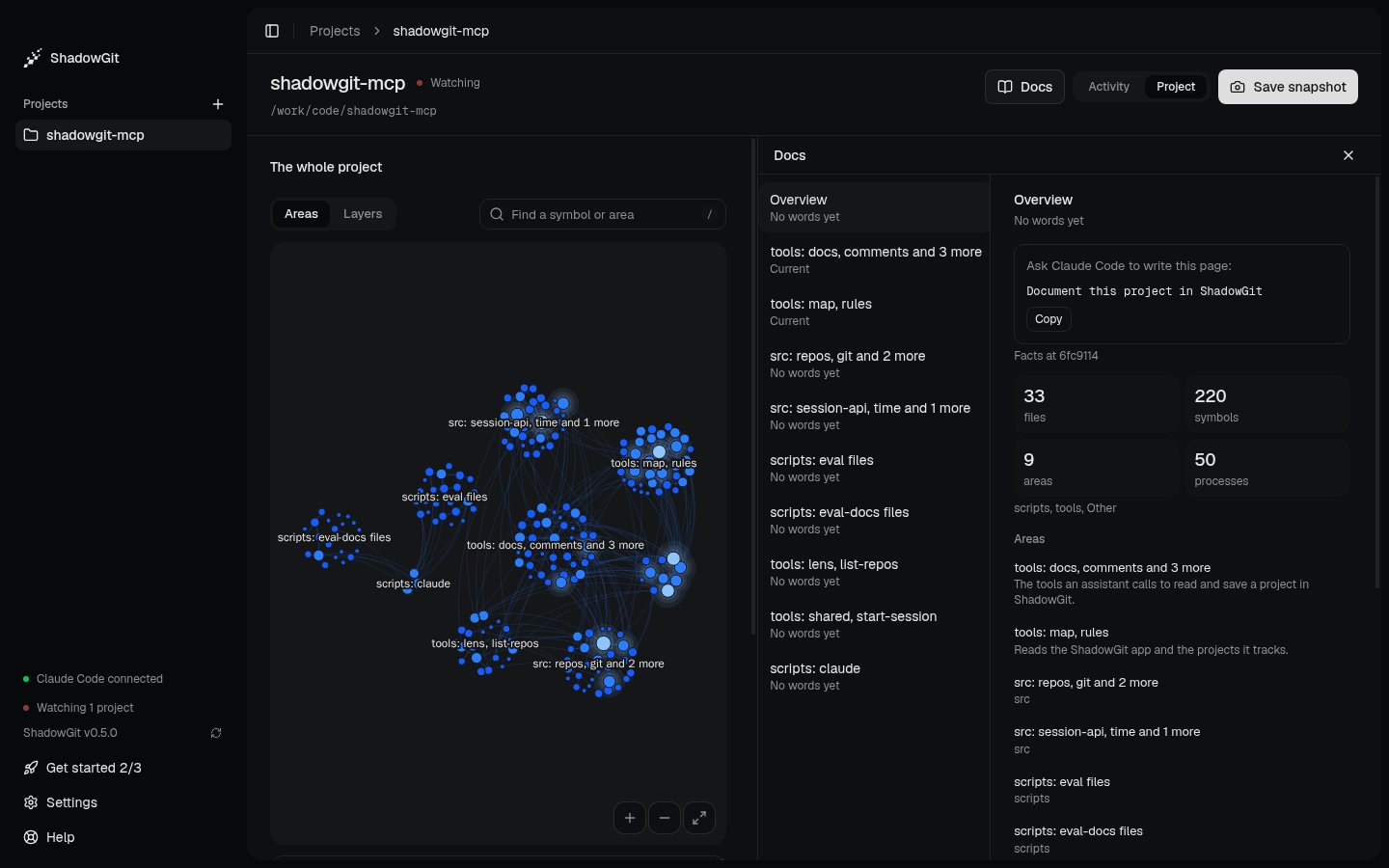
A page with no words yet: its facts, and what to ask your assistant
How current a page is
When an area’s code changes after its words, the page says how many changes, such as “3 changes since these words”. Click it to open the Lens on those snapshots. ShadowGit compares the snapshot the words were written at with the newest one, so an edit you undid counts nothing. It counts:- each function, class or type of the area that was added, removed, or changed in its code, its exports or where it runs. An edit to comments or spacing doesn’t count;
- each change to what the area depends on, or to what depends on it, as the Lens’s dependencies say;
- each linked name the code no longer holds. The page lists those under Linked names no longer in the code, and shows them as plain text.
How pages get written
Your assistant writes pages with version 2.6.0 or later of the MCP server. Pages grow where work happens, so you don’t pay for a first pass over the whole project.- At the end of a session. After your assistant writes the session’s Lens words, it’s asked to write the pages of the areas the session changed whose pages have no words or are behind. That’s at most the three areas it changed most, plus the Overview when it’s behind, or when it has no words and the session changed what depends on what between layers. A page with no words can start short, and later sessions add to it.
- When the words still hold. Your assistant reads what changed since, and can keep the words as they are. They’re kept at the newest snapshot, and the page is current again.
- When you ask. See Your project’s docs for what to ask.
On the Map, and in your assistant
On the Map, an area’s card shows its page’s summary, and Read its page opens it in Docs. Your assistant reads the pages too. When it looks at the map before it edits, it gets each area’s summary and how many changes behind its words are, and each file it’s about to change comes with its area’s summary.Where pages are kept
ShadowGit keeps the pages in the project’s.shadowgit.git, on your computer, under refs/shadowgit/docs. Each write is a new version, and older versions stay kept. Docs shows the newest words. The pages never go in your project’s files or your own git history.